Duey MCP Update: Preview Deadlines, Keep Your Formatting, Pause Anytime
The Duey MCP server now previews whether a deadline will work, keeps headings, lists, and bold text as real Google Docs formatting, and lets you pause and resume Sessions from inside Claude or ChatGPT.
When we launched the Duey MCP server in May, the idea was simple: stay in your AI chat and let it hand your draft to Duey. Since then, a few gaps stood out. You couldn't tell whether a deadline was realistic until the Session was already running. Formatting got lost along the way. And once a Session started, you could only let it run or cancel it.
This update fixes all three, and adds a few smaller improvements along the way.
Know it'll finish before you commit
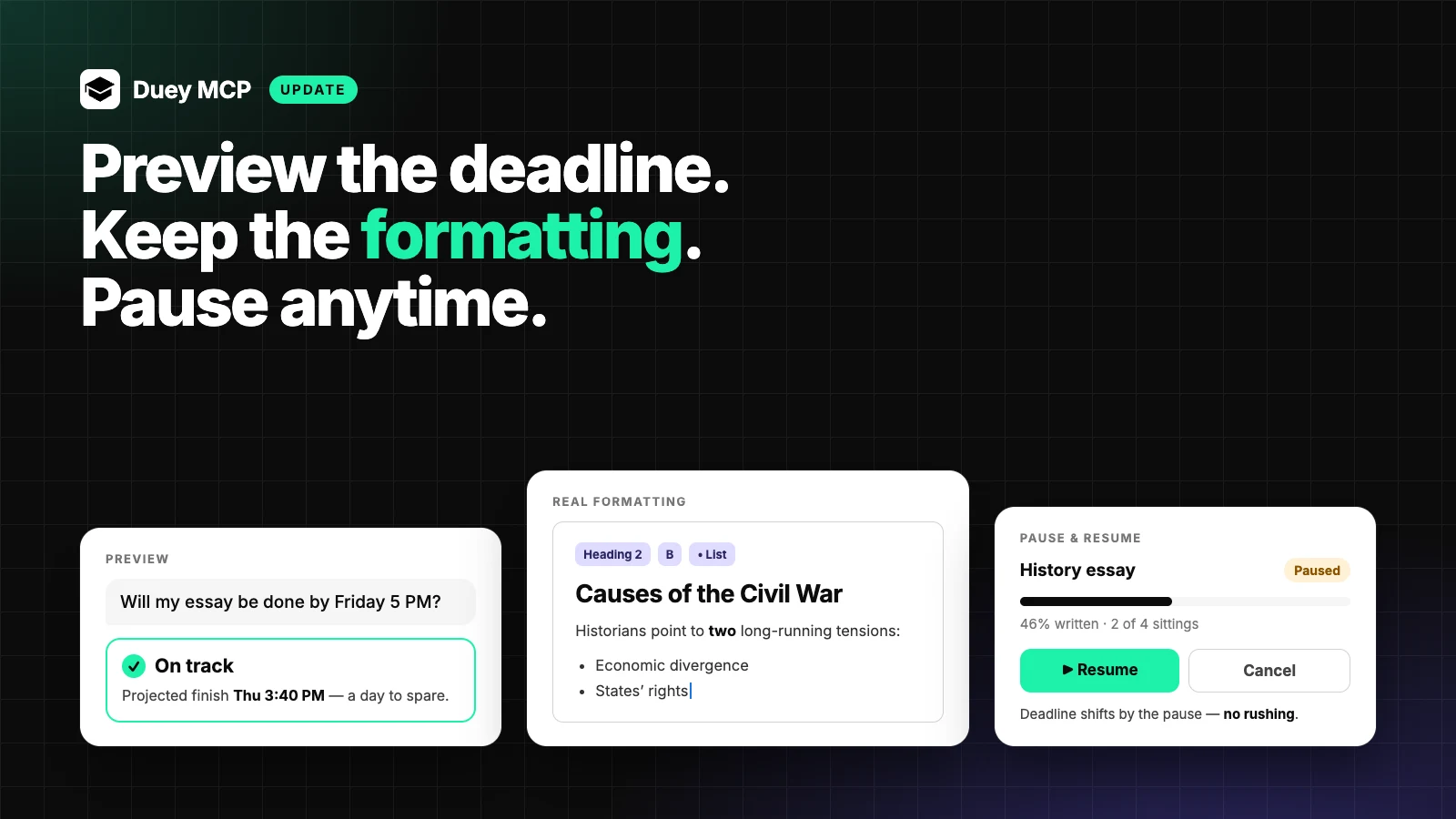
Ask your assistant "Will this be done by Friday at 5?" and it can now check before creating anything. The new preview_session tool plans the Session with your exact settings. It tells you when writing would start, when it's projected to finish, and whether the deadline is realistic.
If the deadline is too tight, your assistant can suggest a later one while you're still deciding. No more starting a Session and hoping.
Your formatting comes through
Drafts written in Claude or ChatGPT are full of structure: section headings, bulleted lists, a bolded key term. Before, that structure could show up in your Google Doc as stray # and ** symbols.
Now it arrives as real Google Docs formatting. Headings become headings, lists become lists, and bold and italic text stay bold and italic. Your assistant turns this on for you whenever the draft has formatting, so there's no setting to remember.
Pause and resume, right from the chat
Plans change. Now you can say "Pause my history essay" and pick it back up later with "Resume it." Duey shifts the rest of the schedule, and the deadline, by however long you paused. The Session keeps the same natural pace instead of rushing to catch up.
Writing happens when you'd actually be writing
Tell your assistant "Only write between 9 and 5 on weekdays" and Duey will stick to those hours in your timezone. While building this, we found and fixed a bug where custom work hours were applied in UTC. The fix covers every Session, whether you start it from the app or from your AI chat.
Also in this update
- Disconnecting is instant. Remove an assistant under Settings → Connected apps and its access ends right away.
- Guided prompts. Clients that support MCP prompts now offer Schedule writing, which walks through account check → deadline preview → Session, and Humanize and check.
- Smarter defaults. Your assistant now gets usage guidance from Duey when it connects. It checks that Google Drive is connected before trying to write, converts your deadline to your timezone, and passes along any error clearly.
Get the update
If Duey is already connected, you don't need to do anything. Your assistant picks up the new tools the next time it connects. (If you don't see them, disconnect and reconnect Duey in your assistant's settings.)
New to the Duey MCP server? You'll find everything you need here:
- Install guide + full tool list — the server URL, setup steps for Claude and ChatGPT, and all twelve tools.
- Duey MCP overview — what it does and how it works.
- Manage connected apps — see which assistants have access, and disconnect any of them.