
Duey Auto Typer Pro · Docs, Slides & Word Online
Types your text into the document the way a person would.
Natural rhythm, pauses to think, the odd typo fixed a moment later. Paste your text, press Start, and Duey types it into Google Docs, Slides or Word Online while you carry on.
$60 billed yearly, or $9.99 monthly · Cancel anytime
Paste anything. Watch it get typed in.
What Pro does
Measured against how people actually type, not a speed slider.
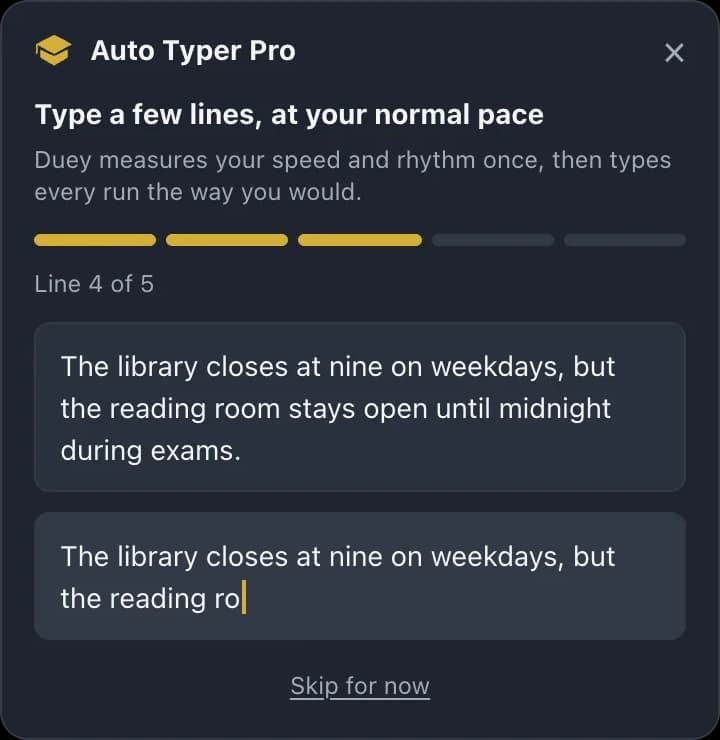
Types at your tempo
A one-minute calibration measures how you type and every run matches it. Or pick Default or Faster.
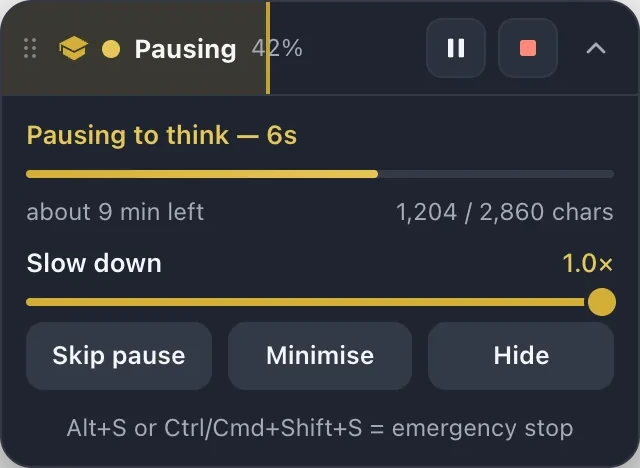
Pauses to think, fixes its typos
Pauses between sentences the way a writer does. Makes the occasional typo and corrects it a moment later. A live bar shows progress and an honest time estimate.
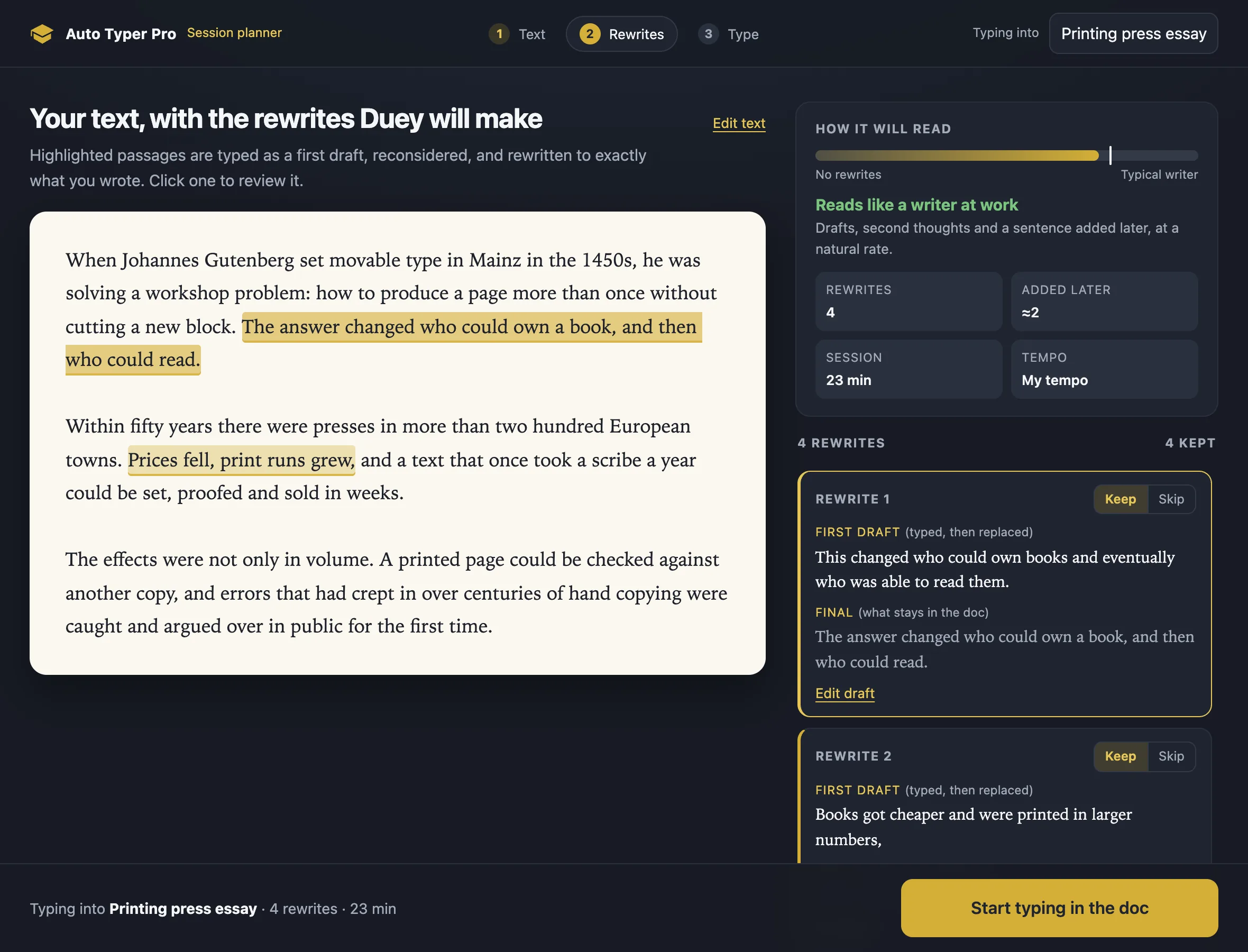
Plan a session with rewrites
For longer pieces, Duey types a first draft of a passage, reconsiders it, and rewrites it to exactly what you wrote. You approve every rewrite first.
Hide it and keep working
Minimise the panel to the edge of the screen and carry on in other tabs. Chrome keeps typing, and a notification tells you when it is done.

You stay in control
Watch it work.
Step in anytime.
See exactly where it is and how long is left. Slow it down, pause, or stop whenever you like. Hide the panel and get on with something else.
- Live progress & ETA
- Pause, resume, stop
- Emergency stop key
The Printing Press and the Spread of Ideas
When Johannes Gutenberg set movalble type in Mainz in the 1450s, he was solving a workshop problem: how to produce a page more than once without paying a scribe. What he changed was who could own a book, and then who could read.Typo noticed · fixed a moment later
Within fifty years there were presses in more than two hundred European towns. Prices fell, print runs grew, and a text that once took a scribe a year could be set, proofed and sold in weeks.
The effects were not only in the number of books. A printed page was the same in every copy, and errors that would once have drifted from hand to hand could be caught and argued over in public.
Historians still disagree about how quickly reading spread, but the first printed thing many households owned was a pamphlet, not a Bible.
One plan. Everything included.
Duey Pro is the whole suite: human-like typing, Sessions, the Humanizer and the AI Detector. No tiers to compare.
“The Auto Typer is a game changer. It types everything out naturally so my work looks completely authentic.”
“Worth every penny. The Auto Typer alone saves me hours of work each week so I can spend more time with my kids.”
Duey Pro
$5/mo with yearly$5.00/mo billed yearly
$60 once a year · or $9.99 month to month
- Duey Auto Typer Pro: human-like typing for Docs, Slides and Word Online
- Unlimited Sessions (any length, ASAP mode, custom work hours)
- Humanizer (unlimited)
- AI Detector
- Premium support
Cancel anytime · Secure checkout by Stripe
After you subscribe
Three steps, about two minutes.
Step 1: Add Duey Pro to Chrome
The install button is on your confirmation page. Pin it so it is one click away.
Step 2: Sign in once
Pro opens a welcome tab on install. Sign in with the account you just created and you are unlocked.
Step 3: Open a Doc and press Start
Click the gold Duey button, paste your text, click where it should go. Duey types; you carry on.
Coming from the free extension?Keep it. Nothing changes.
Why Pro is a separate extension
Human-like typing needs real keystrokes, which Chrome only allows for an extension built around one specific permission. Rather than weigh down the extension 70,000 people already use, that job moved into its own: Duey Pro.
One gold button, two modes
Install Pro next to the free extension. On a document you see one Duey button, not two. Both carry the same Typing mode switch, Human-like or Fast; flip it in either and the other steps back.
The bar at the top of Chrome
While Pro types, Chrome shows its own notice that an extension is sending keystrokes. Leave it; it goes away when the run ends. Pro types into the document you started and nothing else.
Looking for the free extension? It is here.
Frequently Asked Questions
Check here for some of the most frequently asked questions about Duey.ai
What's included in Duey Pro?
Everything: Auto Typer Pro for Google Docs, Slides and Word Online, unlimited Sessions, the Humanizer, the AI Detector and premium support. One plan, no tiers.
Monthly or yearly?
$9.99 a month, or $60 a year, which works out to $5 a month. Same features either way.
Can I cancel? What about refunds?
Cancel any time from app.duey.ai/subscribe → Manage Billing, and you keep access until the end of the period you paid for. Refunds are handled case by case under our refund policy; write to hello@duey.ai if something went wrong.
Does it work on a school or work account?
Yes. Pro types into whatever document is open in your browser. Your Duey account is separate from the school or work Google or Microsoft account the document belongs to.
Mac, Windows, Chromebook?
Anywhere Chrome runs, including Chromebooks.
Do I need both extensions?
For Docs, Slides and Word Online, Pro is all you need. Keep the free extension for Fast typing and the Humanizer; they sit side by side.
What happened to Pro mode in the free extension?
It now opens Duey Pro on Docs, Slides and Word Online.
Write freely. Work privately.
Duey Pro types it in the way you would have. $5 a month billed yearly, or $9.99 monthly. Cancel anytime.