

Excel for the web · New · Free
Auto Typer for Excel for the Web
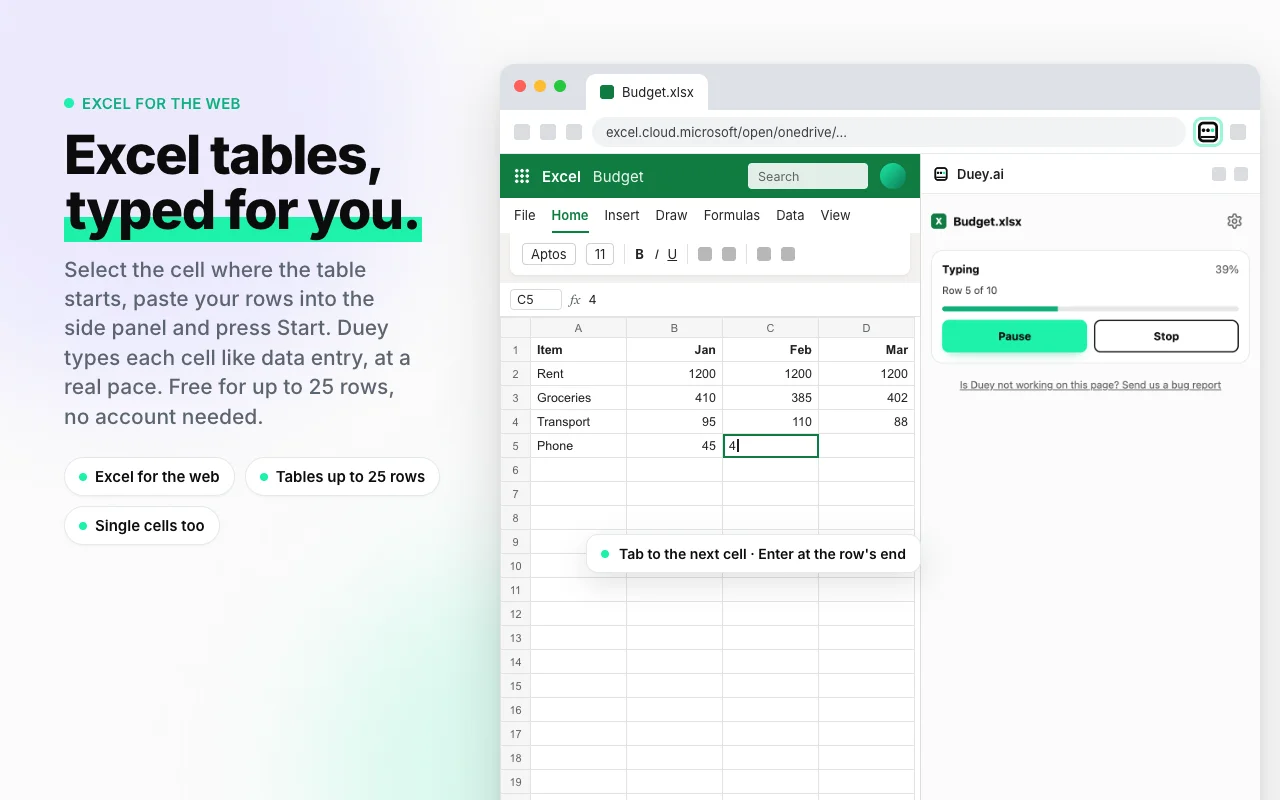
Open your workbook in Excel in Chrome, select the cell where the table starts, paste your rows into the side panel and press Start. Duey types each cell like data entry, at a human pace: across the row, then down to the next.
Free for tables up to 25 rows · .csv and .xlsx import · Not the Excel desktop app
How it works
Duey works in Excel for the web, the version of Excel that runs in Chrome.
- 1
Add Duey to Chrome
Install the free extension. No account needed.
- 2
Open your workbook in Chrome
Open it from OneDrive, SharePoint or Microsoft 365 in Chrome. Working in the Excel app? Save the file to OneDrive and open it in your browser.
- 3
Select the starting cell and add your table
Select the cell where the top-left of your table should go. In the side panel, paste your rows or import a .csv or .xlsx file.
- 4
Press Start
Duey types each cell and moves to the next one itself. Pause, resume or stop from the panel.
Like data entry, without the typing
Whole tables, up to 25 rows free
Duey types every cell and moves on by itself, across each row and down to the next. You don’t have to babysit it.
Paste it or import it
Paste rows you copied, or import a .csv or .xlsx file. Single cells work too, for when you only need one entry.
Stray clicks won’t stop it
The workbook is locked while Duey types, so a click can’t send the text to the wrong cell.
Pause and pick up where you left off
Resume carries on from the cell it was on, not from the top of the table.
Switch tabs while it works
Typing keeps going while you do something else in another tab.
A human pace
Cells fill in at the speed of real data entry, not all at once like a paste.
Good to know
- Excel for the web only. Duey runs in Chrome, so it doesn't type into the Excel desktop app on Windows or Mac.
- Free covers 25 rows. For bigger tables, Duey Pro has no row limit.
- Formulas: the free extension types the values in your file. Duey Pro types the formulas themselves.
- Start where there's room. Duey fills across and down from the cell you select.
- Using Google Sheets instead? See Auto Typer for Google Sheets.
Duey Pro
No row limit, formulas kept
Auto Typer Pro types tables of any size and keeps formulas as formulas, adjusted correctly when your table starts somewhere other than A1. Restart an interrupted run from any row, or set a finish time and Pro paces the typing and breaks to hit it, with the same human-like rhythm it uses in documents.
Get Duey ProAlready subscribed? Add Auto Typer Pro to Chrome →See what Pro does →Questions
Is there a free auto typer for Excel?
Yes, for Excel for the web. The free Duey extension types tables of up to 25 rows into Excel in Chrome, from a paste or a .csv or .xlsx file. You don’t need an account.
Does it work in the Excel desktop app?
No. Duey is a Chrome extension, so it types into Excel for the web. Save the workbook to OneDrive and open it in Chrome; it stays a normal .xlsx you can open in the app afterwards.
Will it type my formulas?
Duey Pro does: import a spreadsheet and Pro types the formulas themselves, not just their results, adjusted for where your table starts. The free extension types the values.
How many rows can it type?
Up to 25 rows in the free extension. Duey Pro has no row limit.
I paused. Will it start over?
No. Resume carries on from the cell it was on. In Duey Pro you can also restart an interrupted run from any row.
Can it finish by a certain time?
In Duey Pro, yes. Choose when the table should be done and Pro paces the typing and breaks to finish by then.
See Duey Pro →Paste, click Start, walk away.
Free for tables up to 25 rows · .csv and .xlsx import · Not the Excel desktop app