PowerPoint for the web · Free · New in Duey 4.0
Auto Typer for PowerPoint
Open your deck in PowerPoint in Chrome, click into a text box, paste your text and press Start. Duey types it at a real pace and fixes its own typos. Several slides to fill? Place each part in its own box and Duey types them in order.
Free in PowerPoint for the web · Personal, school and work accounts · Not the PowerPoint desktop app
How it works
Duey works in PowerPoint for the web, the version of PowerPoint that runs in Chrome.
- 1
Add Duey to Chrome
Install the free extension. No account needed.
- 2
Open your deck in Chrome
Open the file from OneDrive, SharePoint or Microsoft 365 in Chrome. Working in the PowerPoint app? Save the file to OneDrive and open it in your browser.
- 3
Click into a text box
Click inside the box you want filled, so the cursor blinks. Duey waits until a text box is being edited.
- 4
Paste and press Start
Open the side panel, paste your text, pick your speed and mistakes, and press Start. The panel shows PowerPoint when it recognizes the file.
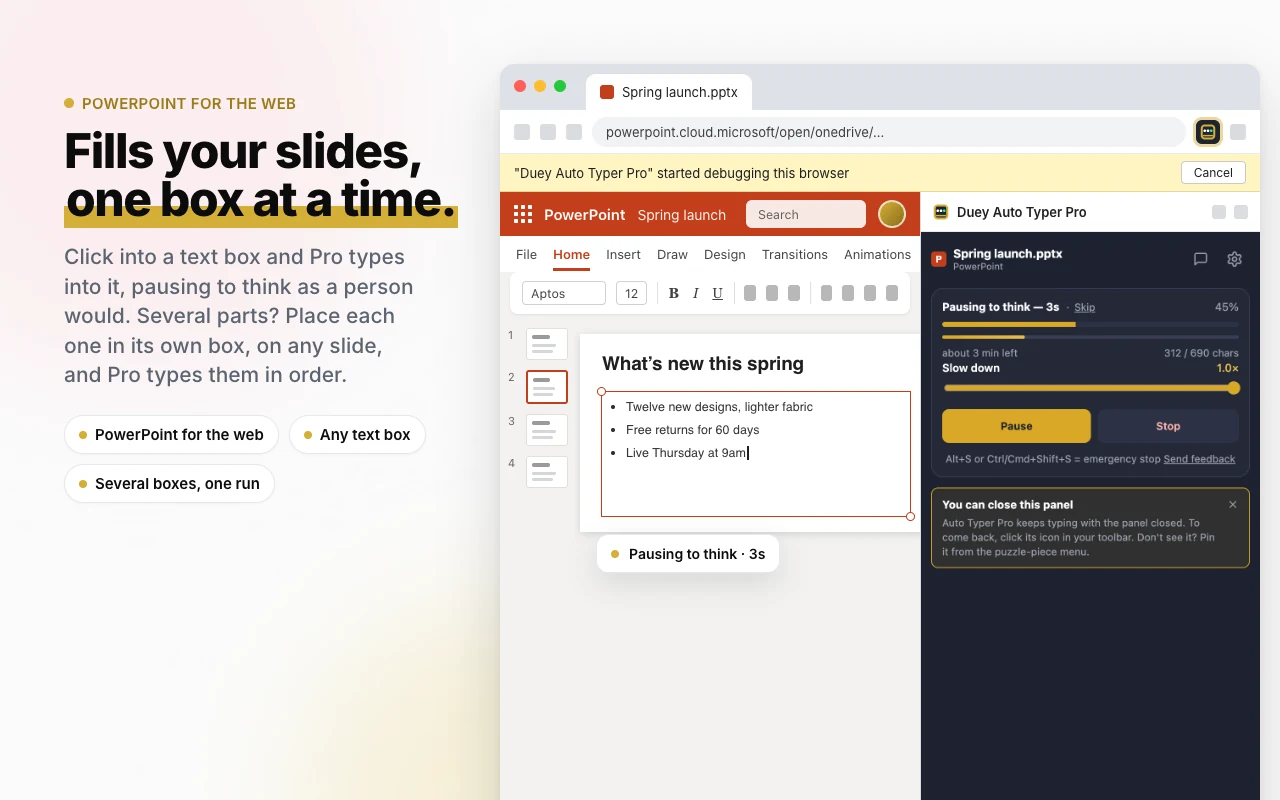
Built for decks in PowerPoint
Several slides in one run
Turn on Multi-block, paste each part into its own block, then click into the text where each one goes and press Enter. Duey moves between slides and types each block into its box, in order.
Free in PowerPoint
Typing in PowerPoint for the web is free in Duey, Multi-block included, and comes with Auto Typer Pro too.
Real pace, real typos
Your speed and mistakes settings apply. Duey makes typos and fixes them as it goes.
Never types into the wrong place
If Duey can’t get back to a block’s spot, for example because the zoom changed, it stops before typing anything there.
School and work accounts
Works with PowerPoint files you open from OneDrive or SharePoint, on personal, school and work Microsoft accounts.
Nothing on top of your slides
Duey lives in Chrome’s side panel. The block labels you see while placing are on your screen only and never added to the deck.
Good to know
- PowerPoint for the web only. Duey runs in Chrome, so it doesn't type into the PowerPoint desktop app.
- Plain text only. Bold, headings, lists and links are typed as plain text, and Duey shows a note if your text has formatting.
- Don't change the zoom between placing Multi-block blocks and starting.
- Clicking elsewhere on the slide while Duey types can move the cursor out of the box. Pause first, click back into the box, then Resume.
- Tab open before you installed or updated Duey? Click Refresh tab in the side panel.
- Version History and Replay are Google Docs features, so they don't apply to PowerPoint.
Duey Pro
Pauses to think, like you would
Auto Typer Pro works in PowerPoint for the web too. It types at your own measured tempo, pauses to think, and fixes typos the way a person does.
Get Duey ProAlready subscribed? Add Auto Typer Pro to Chrome →See what Pro does →Questions
Is there a free auto typer for PowerPoint?
Yes. The free Duey extension types into PowerPoint for the web in Chrome, and Multi-block is free too. You don’t need an account.
Does it work in the PowerPoint desktop app?
No. Duey is a Chrome extension, so it types into PowerPoint for the web. Save the deck to OneDrive and open it in Chrome; it stays a normal .pptx you can open in the app afterwards.
Can it fill several slides at once?
Yes, with Multi-block. Paste each part into its own block, click into the text box where each one goes and press Enter, then start. Duey moves between slides on its own.
How Multi-block works →Will it keep my bullet formatting?
Your text is typed as plain text, and Duey shows a note before you start if it has formatting. The box keeps whatever styling the slide already gives it.
Duey says to click into a text box. Why?
PowerPoint only takes typing while a text box is being edited. Click inside the box so the cursor blinks, and Duey starts.
I use Google Slides instead. Does it work there?
Yes, the same way, Multi-block included.
Auto Typer for Google Slides →Paste, click Start, walk away.
Free in PowerPoint for the web · Personal, school and work accounts · Not the PowerPoint desktop app