New in Duey 4.0 · Free
Auto Typer for Any Website
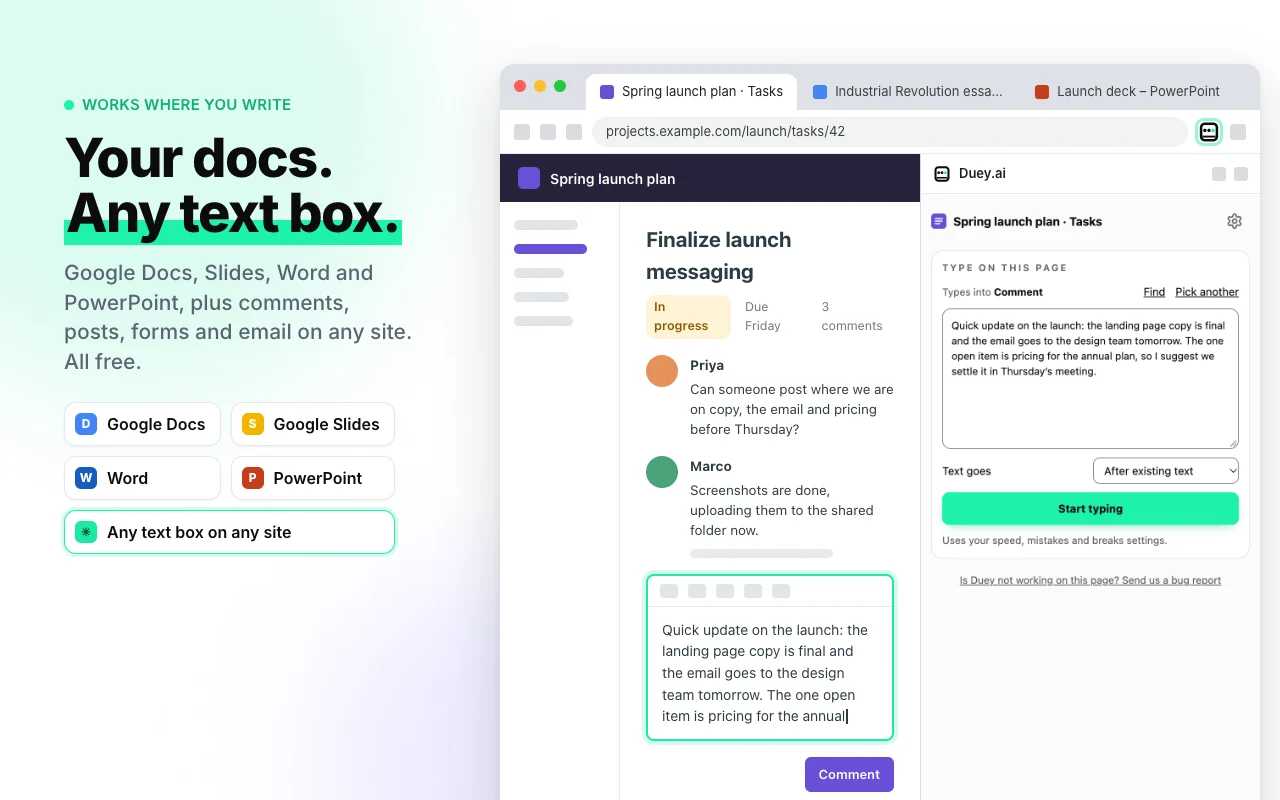
Pick a text box, paste your text and press Start. Duey types it in at your speed, makes typos and fixes them as it goes. A class discussion post, an essay box, a form answer, an email: if it's a text box, Duey can usually type into it.
Free on almost any site · No account · Never submits a form for you
How it works
Pick the box once, then Duey does the typing.
- 1
Open the page and the side panel
Go to the page with the text box and click the Duey icon in your toolbar.
- 2
Pick a text box
Click Pick a text box, then click the box on the page. Esc cancels. Find shows which box Duey has picked.
- 3
Paste and press Start typing
Paste your text and press Start typing. Duey uses your speed, mistakes and breaks settings.
- 4
Check it and submit yourself
Duey never presses Enter or a submit button. When it’s done, read it over and post it yourself.
Made for the boxes you actually type in
Discussion posts, essay boxes, forms
Plain boxes and the rich-text editors behind many discussion boards, course sites and blogs. Filling in a form? See how to auto type in Google Forms.
Never submits for you
Duey never presses Enter. One-line boxes, like a title or a short answer, get spaces instead of new lines, so a form can’t go off half-done.
Safe in chat apps
In Discord, Slack, WhatsApp, Messenger, Teams and Telegram, a new line is typed as Shift+Enter, so your message isn’t sent part-way.
Your settings come with you
The same speed, mistakes and breaks you use in Google Docs. Duey fixes its own typos as it goes.
Pauses if you click away
Click into another box and typing pauses, so nothing lands in the wrong place. Click back into the box and press Resume.
Stays out of sensitive fields
Duey never types into password or payment fields.
Good to know
- Plain text only. Headings, bold and lists aren't typed on websites.
- Page open before you installed or updated Duey? Reload it once.
- A site ignores the text? A few sites only accept real keystrokes. Duey Pro types with real keystrokes, so it works there.
- Version History and Replay are Google Docs features, so they don't apply to other sites.
- Not working on a site? Try the steps in Auto Typer isn't typing on a site, or send a bug report from the foot of the side panel. It never includes your text.
Duey Pro
Real keystrokes, several boxes at once
Auto Typer Pro types with real keystrokes, so it works on the sites that ignore the free typer. Multi-block fills several text boxes on one page, one after another, and nothing is submitted. Allow a site once, or turn on Type on any site in Settings.
Get Duey ProAlready subscribed? Add Auto Typer Pro to Chrome →See what Pro does →Questions
Which sites does it work on?
Almost any site with a text box: discussion posts on your course site, essay boxes, Google Forms answers, email, chat apps and comment boxes. It never types into password or payment fields.
Will Duey submit my post or form?
No. Duey never presses Enter or clicks a button. In one-line boxes new lines become spaces, and in chat apps they’re typed as Shift+Enter. You post it yourself when you’re ready.
Is it free?
Yes. Typing on other sites is free in both Duey and Duey Pro, with no account needed for the free extension.
Why isn’t it typing on a site?
Reload the page, pick the box again and keep it in focus. The side panel usually says what’s wrong. A few sites only accept real keystrokes, which Duey Pro types.
Troubleshooting steps →Can it fill several boxes on one page?
In Duey Pro, yes. Turn on Multi-block, pick a box for each block, then start. Pro types each block into its box, one after another, and submits nothing.
How Multi-block works →Does it keep my formatting?
No. On websites Duey types plain text. For formatted documents, use Google Docs.
Paste, click Start, walk away.
Free on almost any site · No account · Never submits a form for you